
What is Central Substance Data (SCD)?
Central Substance Data (CSD) is a feature in iPublisher that automatically provides physicochemical, toxicological, and ecotoxicological properties including DNEL/DMEL values directly in your Safety Data Sheets. The Central Substance Data (CSD) comes from a central, structured database containing information from official regulatory sources and covers approximately 26,000 registered substances.
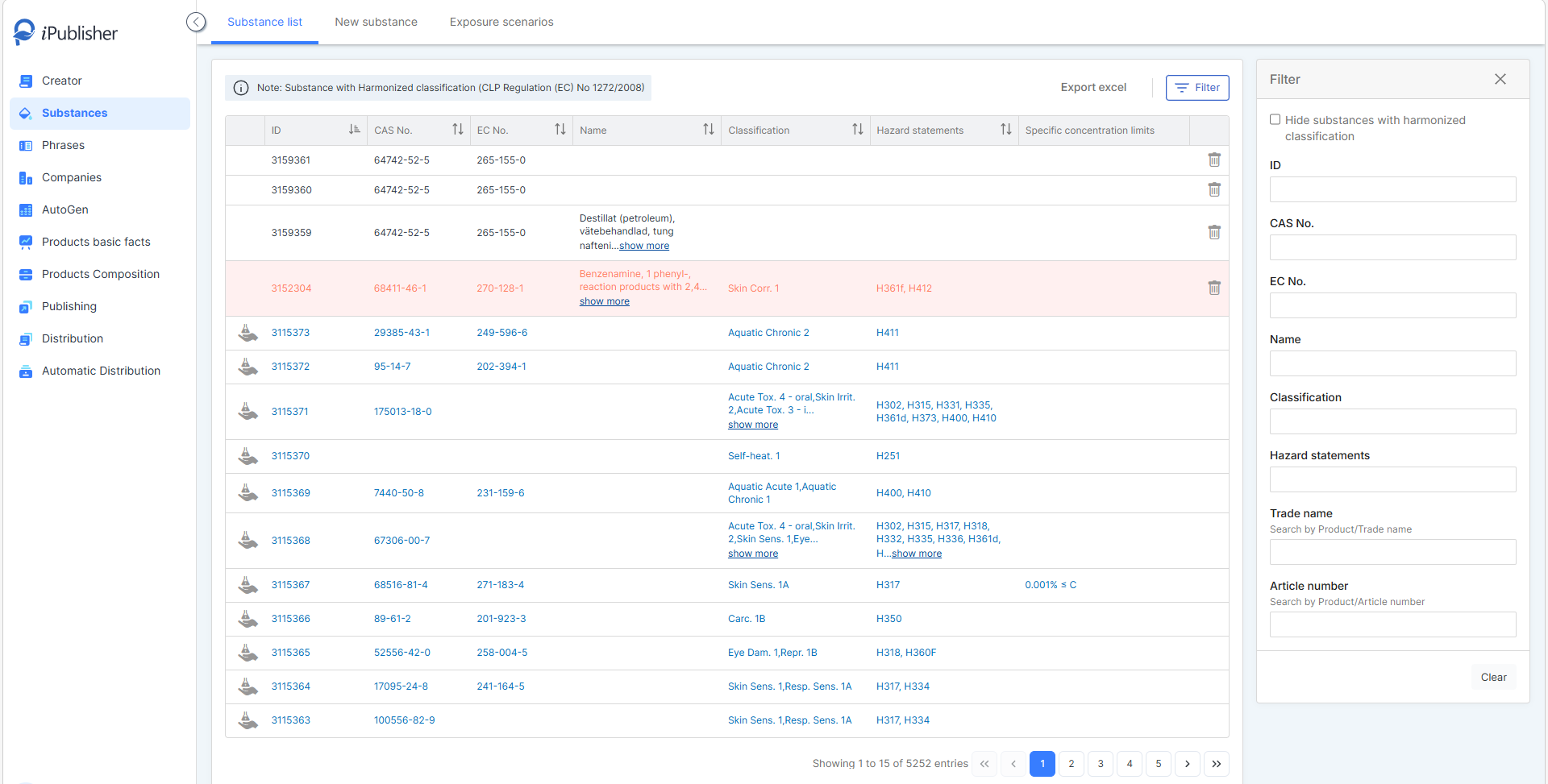
The feature does not create any new substances. Instead, it enriches the substances you already have in iPublisher, provided that a correct CAS number and/or EC number is registered. This means you do not need to recreate or re-import any substances to access the data.
Central Substance Data (SCD) is available in two places:
- In the substance editor (displayed as read-only for review)
- In the SDS sections (where you can import a copy of the substance data to enrich your SDS)
What does this mean?
Producing accurate and complete toxicological and ecotoxicological information is often time-consuming. With Central Substance Data (SCD), this process is handled automatically.
Sections 8, 11, and 12 are populated with DNEL/DMEL, PNEC/PEC, toxicological, and ecotoxicological information for the substances included in your product when you click the “copy” button (Highlighted with a green box in the second image below).
The underlying Central Substance Data (SCD) database contains approximately 26,000 substances.
1. Go to Creator.
2. Select a product from the list, or create a new one.
3. Navigate to Section 8, 11, or 12.
4. Click the "Copy" button, highlighted with a green box in the image below.

The toxicological and ecotoxicological information is then automatically populated for the substances included in your product.
You do not select the source yourself. The values that are imported are always the values that are active on the substance at the time of import. The import is also duplicate-protected so if you click the button multiple times, no duplicate rows will be created, only new data that does not already exist in the SDS will be added.
There is no live connection back to the Central Substance Data (SCD), which means that if the data is updated later, an SDS that has already imported the data will not be affected. To retrieve updated data, you need to import it again.
Read more about importing "substance data" here.
Recommended workflow when updating substance data
If new information has been added to the Central Substance Data (CSD) for a substance and you want the updated information to be reflected in your SDS, we recommend first removing the existing imported substance data in Creator. Once cleared, use the "Copy" button again to import the latest available data before republishing the SDS.
How does the matching work?
iPublisher automatically matches your local substances against the Central Substance Data (SCD) based on CAS and EC numbers. This means that you will not receive a large number of unknown substances, only your existing substances are enriched with data, provided that the correct CAS/EC numbers are registered.
How can I see which data comes from the Central Substance Data compared to my local data?
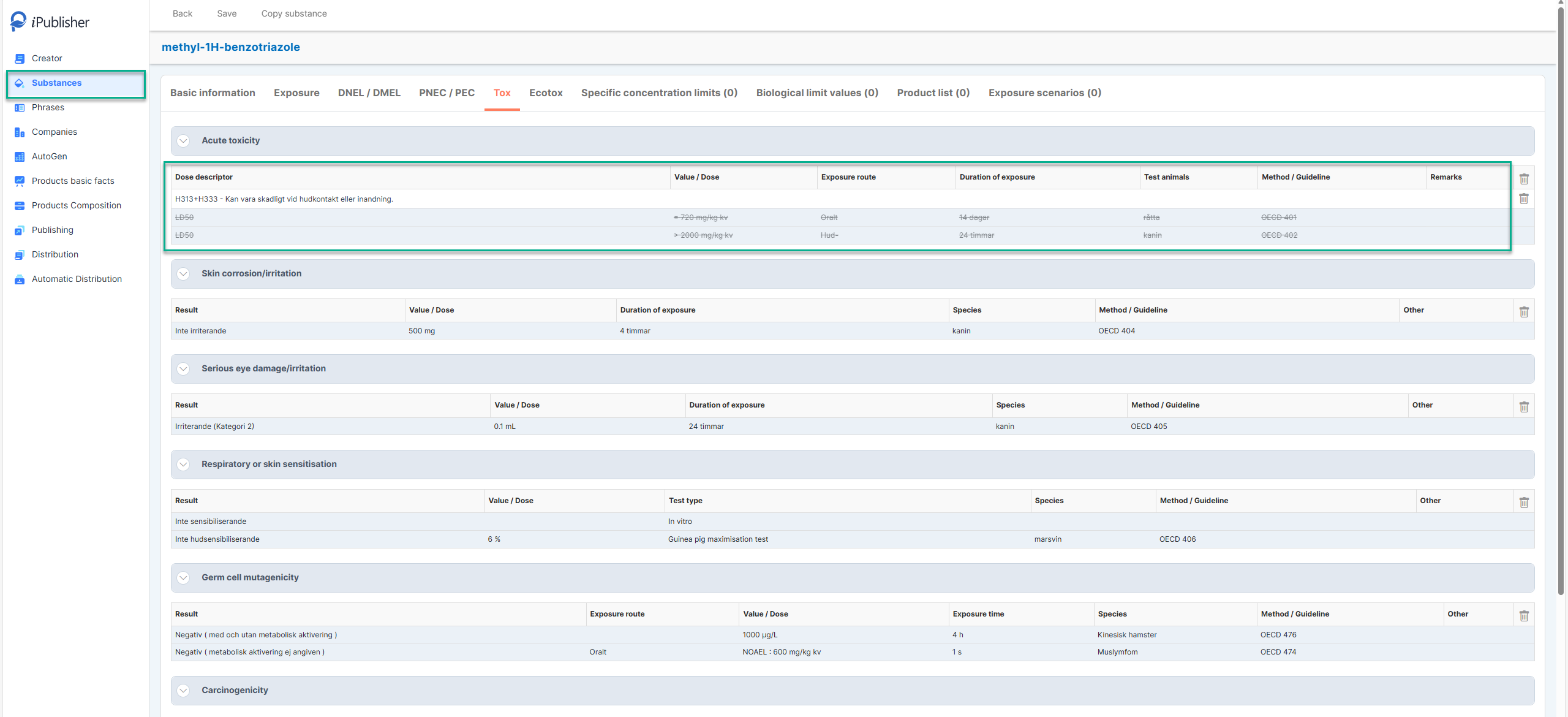
In “Substances” editor, the Central Substance Data (SCD) is displayed with a blue background and is read-only.
If you choose to add your own local data, it is displayed with a white background and remains editable as usual. At the same time, the Central Substance Data (SCD) will appear crossed out, and only your local data will be considered active.
Important:
When adding a new substance or modifying substance information in the Substances editor, the substance data must be reloaded before the Central Substance Data (CSD) can be updated and displayed correctly. To do this, click "Back" and then reopen the substance. Simply clicking "Save" is not sufficient.
The source of the Central Substance Data (CSD) is ECHA.