
TABLE OF CONTENTS
The purpose of distribution is to provide users with a fast and efficient means to track and deliver updated Safety Data Sheets to customers.
General overview
Distribution comprises two primary sections: Product list and Customer list. You can distribute SDS to customers from either the Product or Customer list. This flexibility allows you to distribute SDS from multiple products to a single customer or distribute SDS for one product to all customers using it. Refer to the charts below for a visual understanding.
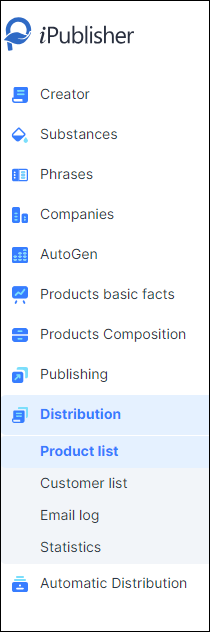
Distribution
By clicking on Distribution in the left menu, the user will be sent on the general product list. Parts of the main list are:
- Product list
- Customer list
- Email log
- Statistics
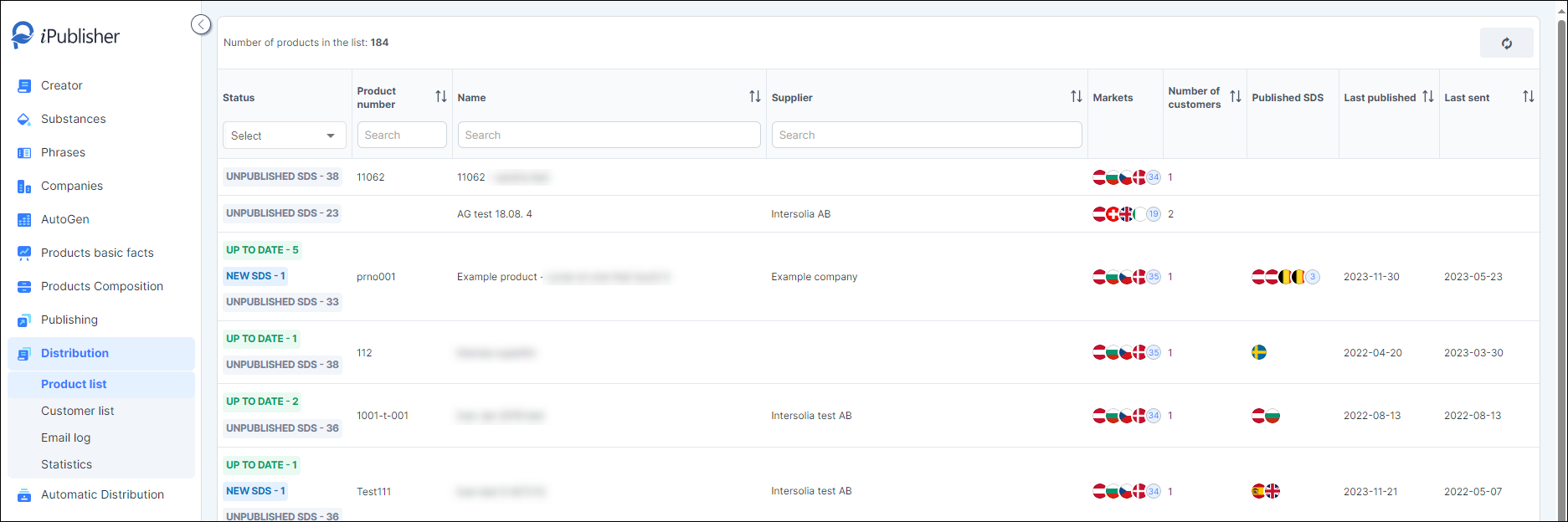
Product list
The primary product list (PL) contains all created products generated via Creator and AutoGen. This comprehensive list provides a swift overview of statuses such as sent, unpublished, and SDSs waiting to be sent. Additionally, it furnishes users with details regarding published and requested SDSes for each product. Similar to other sections in iPublisher, this list can be filtered based on various criteria and sorted by multiple columns.
Customer list
The primary Customer list (CL) compiles all users of the chemicals produced in iPublisher, whether created through Creator or AutoGen. This section provides access to the page for creating a new customer and offers a swift overview.
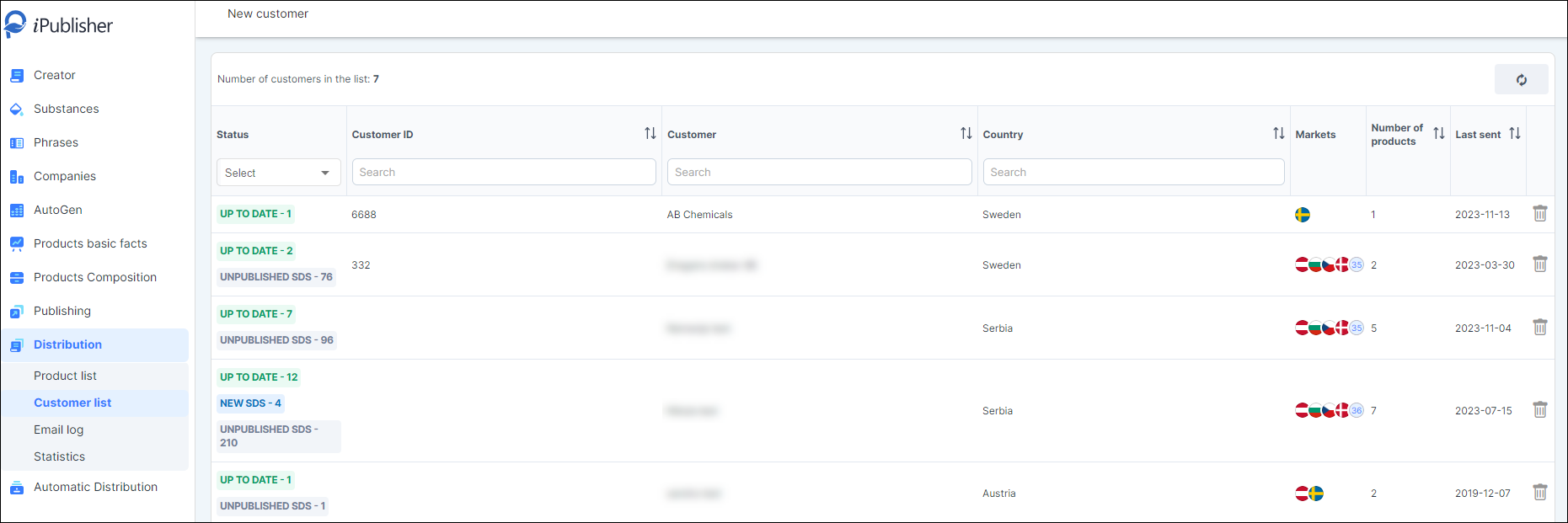
Status indicators prompt user action, highlighting the need to distribute new SDSs or publish missing ones.
Each customer profile includes general information such as ID, name, and country, alongside details about the statuses of their products/SDSs, requested markets, the number of products on their lists, and the date of the last distribution.
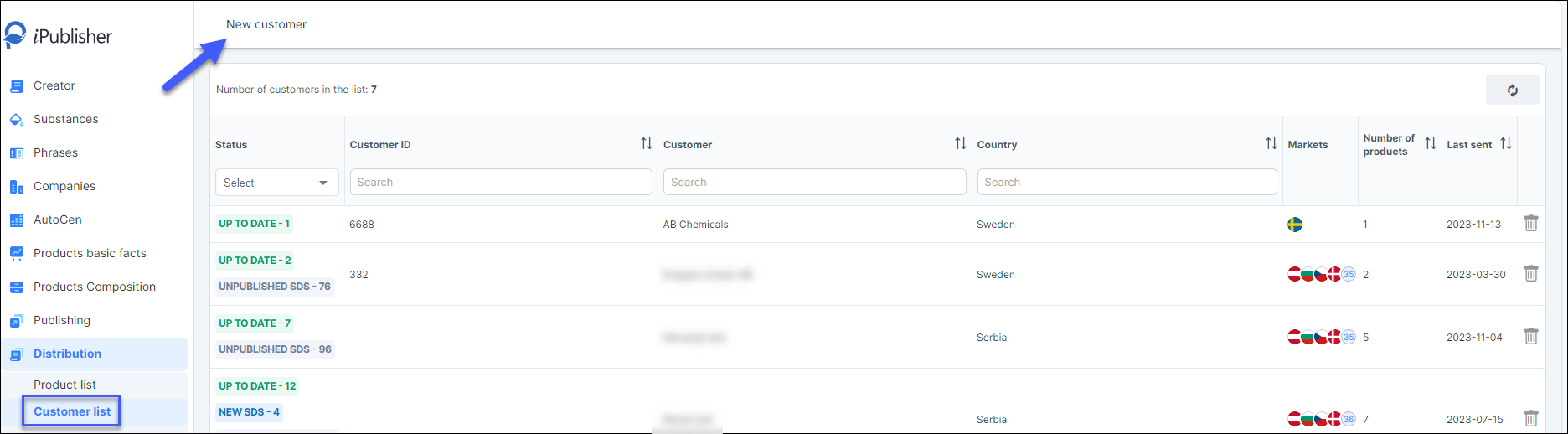
New customer
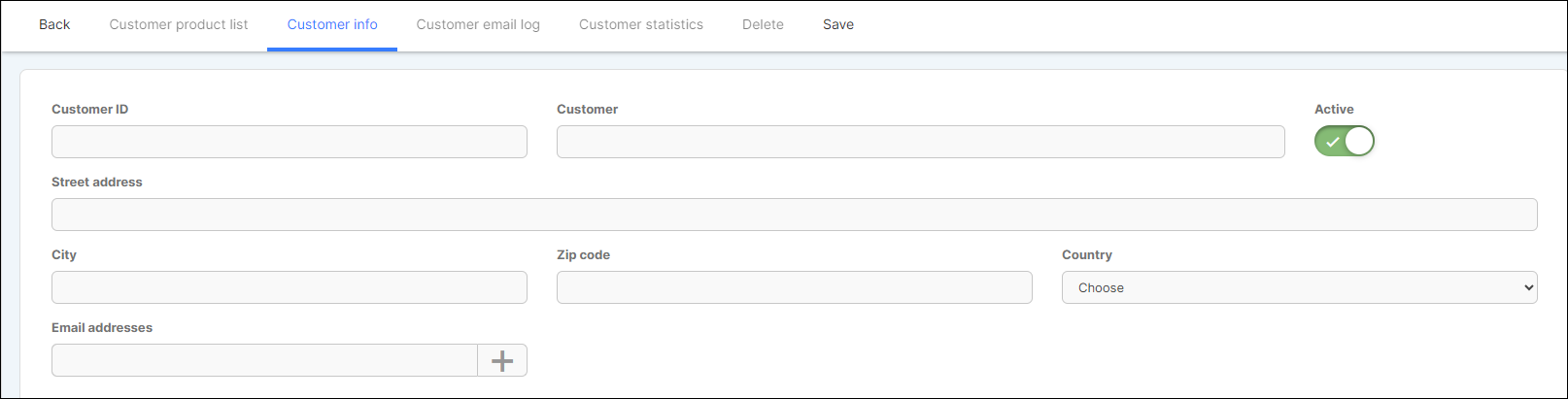
To add a new customer, essential information must be provided, including their name, country, and at least one email address. To add email(s), click on the 'Add' button ( ). Once all necessary information is entered, click 'Save' to create the new customer profile.
Email log
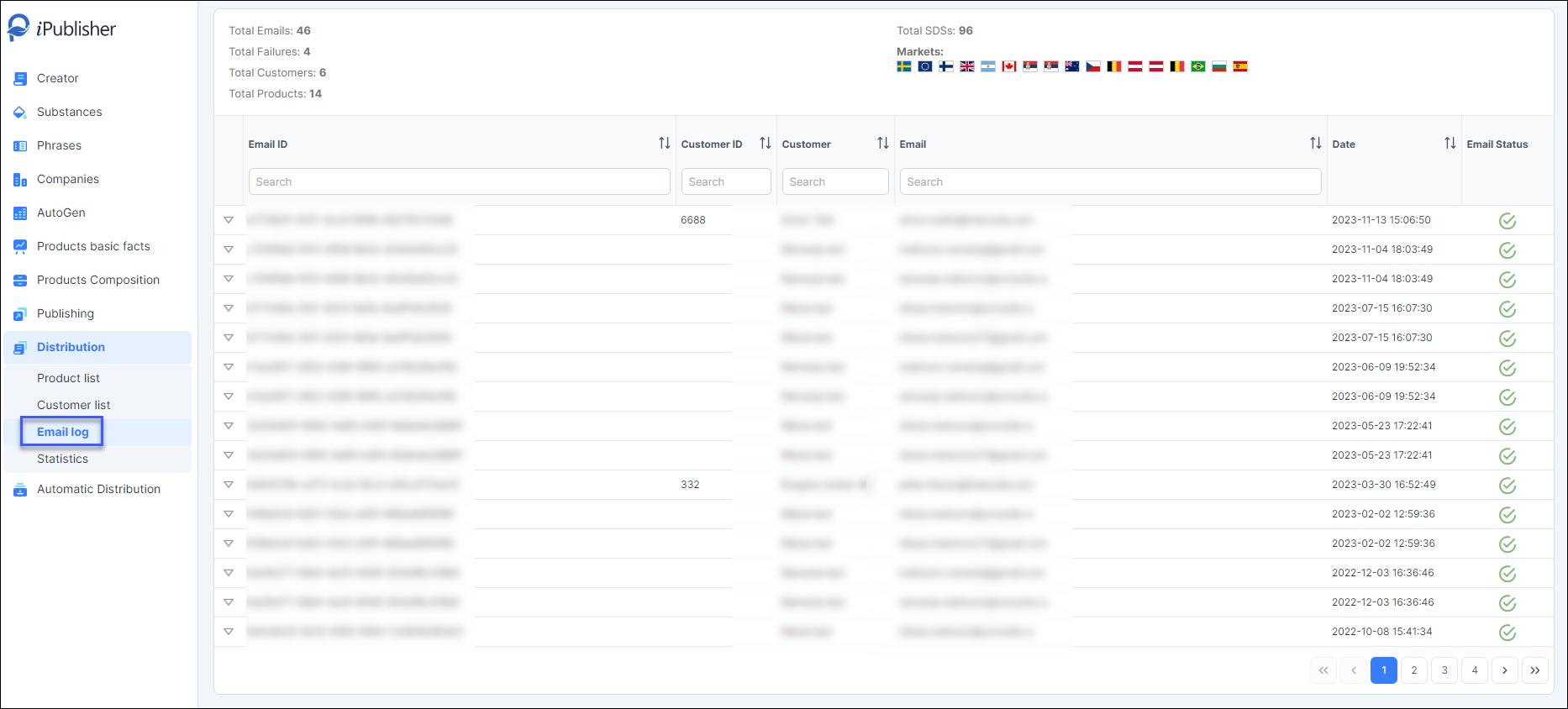
The primary email log encompasses all emails dispatched through the Distribution module. At the top of the page, there's an overview of sent emails, detailing the total count of sent emails, failed emails, the overall count of customers receiving SDSs, and the total number of sent SDSs, along with a breakdown by markets.
The email list includes all previously dispatched emails containing SDSs. Each email is assigned a unique identification number (GUID) for later reference. It also displays details such as the Customer, email address(es), date, and the status of the sent email.
Below each email entry, there's a list of market/language specific SDS:s included in the email, along with their respective dates of publication.
Statistics
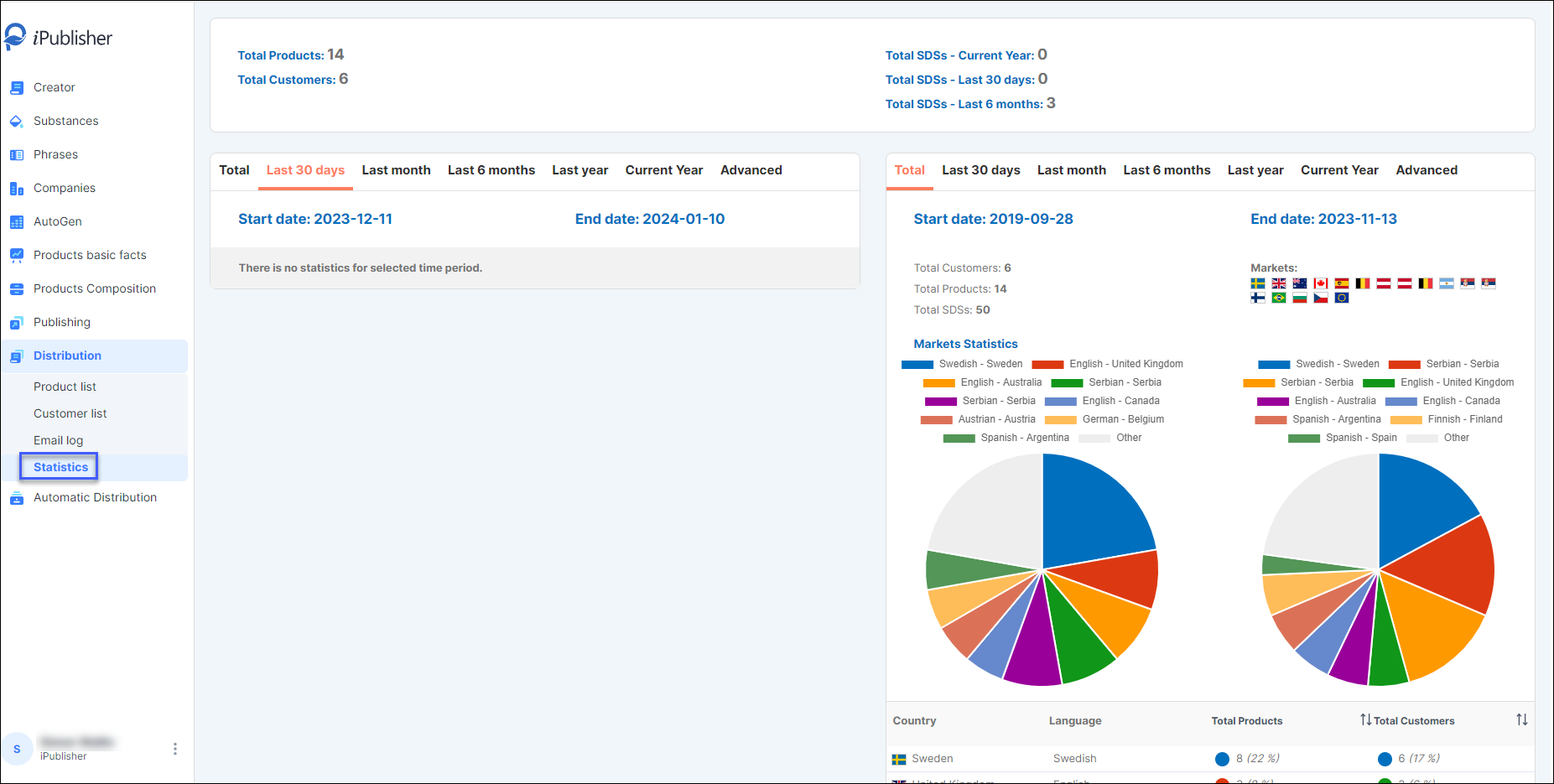
This page presents statistics within predefined timeframes and advanced options. The statistics are segmented based on various criteria: by market, product, and customer. Switching between predefined periods will update the statistics accordingly. The colored dots within the tables correspond to the relevant segments displayed in the pie chart.
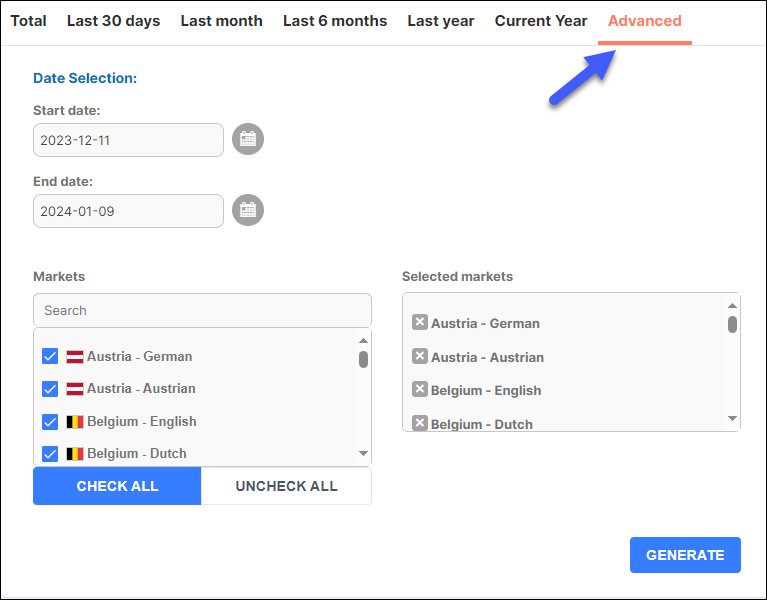
Within the 'Advanced' tab, users can specify the timeframe and list of markets for which they need statistics. Once the criteria for the statistics are set, simply click the 'Generate' button.
As there are two sections with the statistics, it is possible to compare different periods at the same time.
Automatic distribution
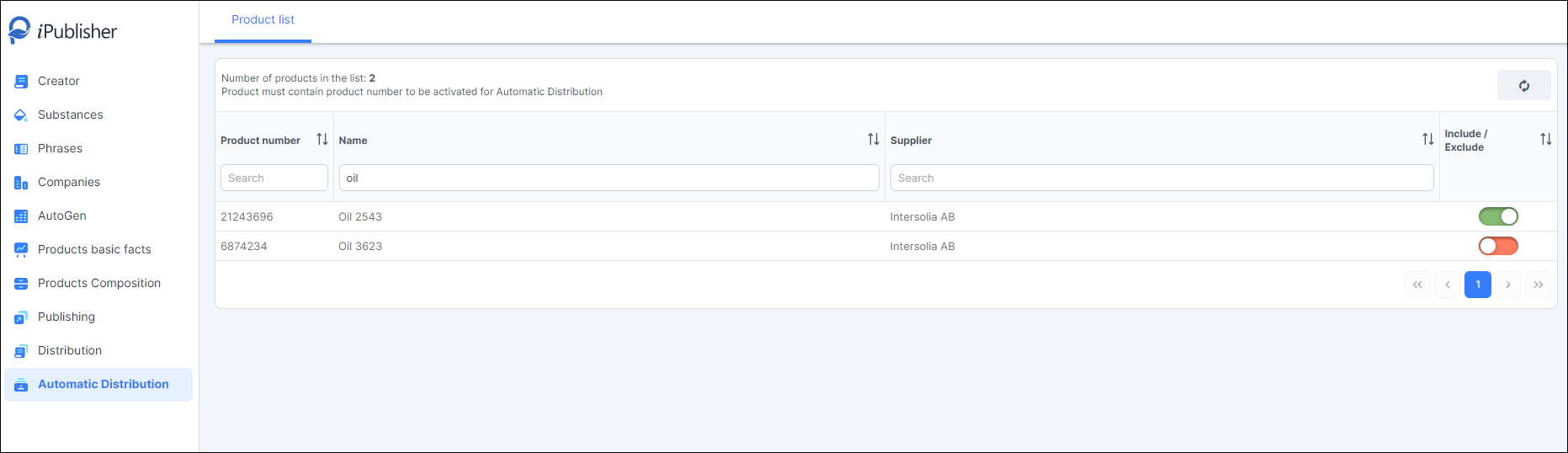
This feature allows users to automatically distribute products to a department connected to their iChemistry. The option to select or deselect products from the list provides control over which products should undergo automatic distribution.
Regulation No 1907/2006 article 31:8
Enable the products that you want to distribute in the product list and fulfill the regulation on distributing products within 12 months and updated products.
To enable this setup, please contact customer service for further assistance.