A template is a simple product that contains all required data. It is created for groups of products like paints, oils and glues, where the data is the same for all sections except for section 2 and 3.
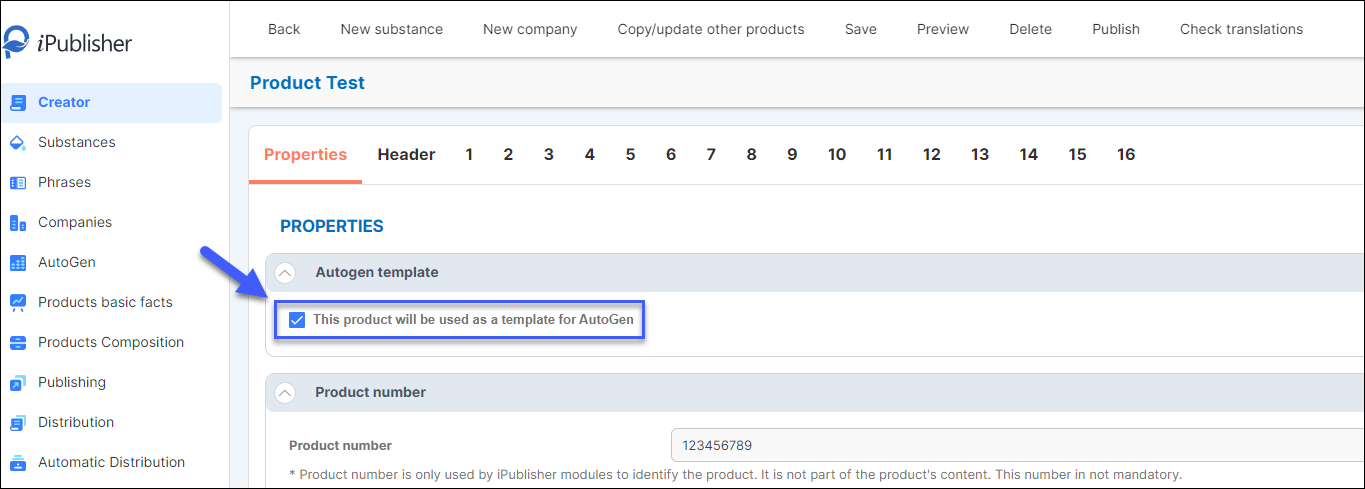
You can create a template in Creator by checking the box ‘This product will be used as a template for AutoGen’, which is located under Properties.
You can create many different templates to suit your companies needs.
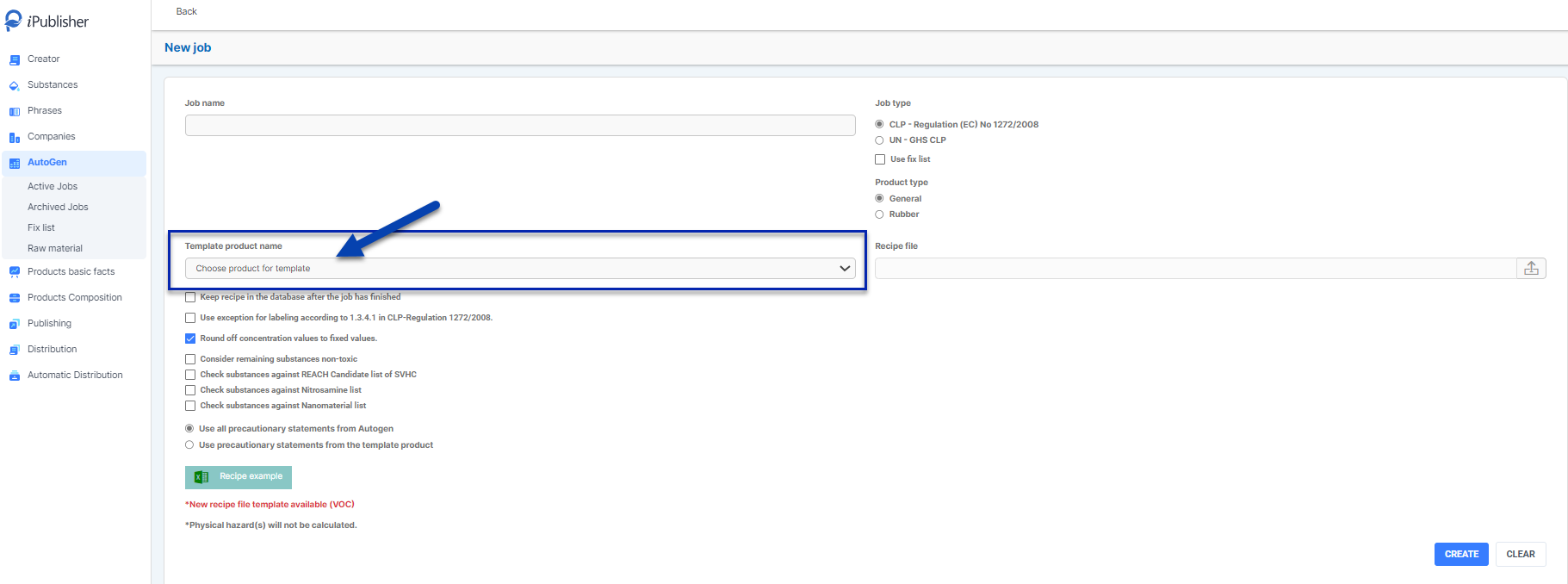
You can use your AutoGen template when creating a new job by clicking on the dropdown menu called Template product name and then click on your template.