
Applies for: iPublisher
Where: Substances, Publishing
Restriction lists in iPublisher is an add-on which lets customers have a better overview of their substances and the risks they may include.
To see which lists we currently support, please see the attached pdf!
If this is not present in your iPublisher, or you would like to have a custom restriction list with your own criteria, please contact your customer success manager from Intersolia or support@ipublisher.net for more information.
Where can you see restriction lists in iPublisher?
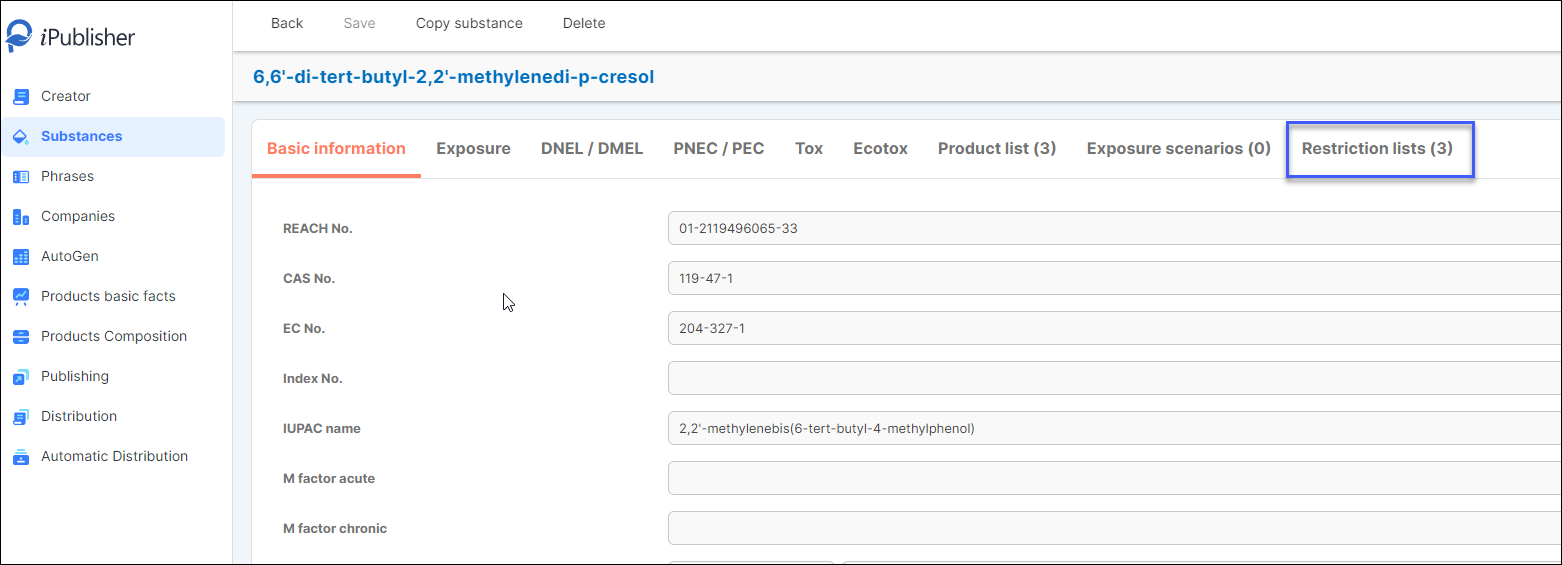
If a substance you use in your products are matched against any restriction list it will be shown under Substances > your substance and 'Restriction lists (X)'.
Click on the button Restriction lists (X)
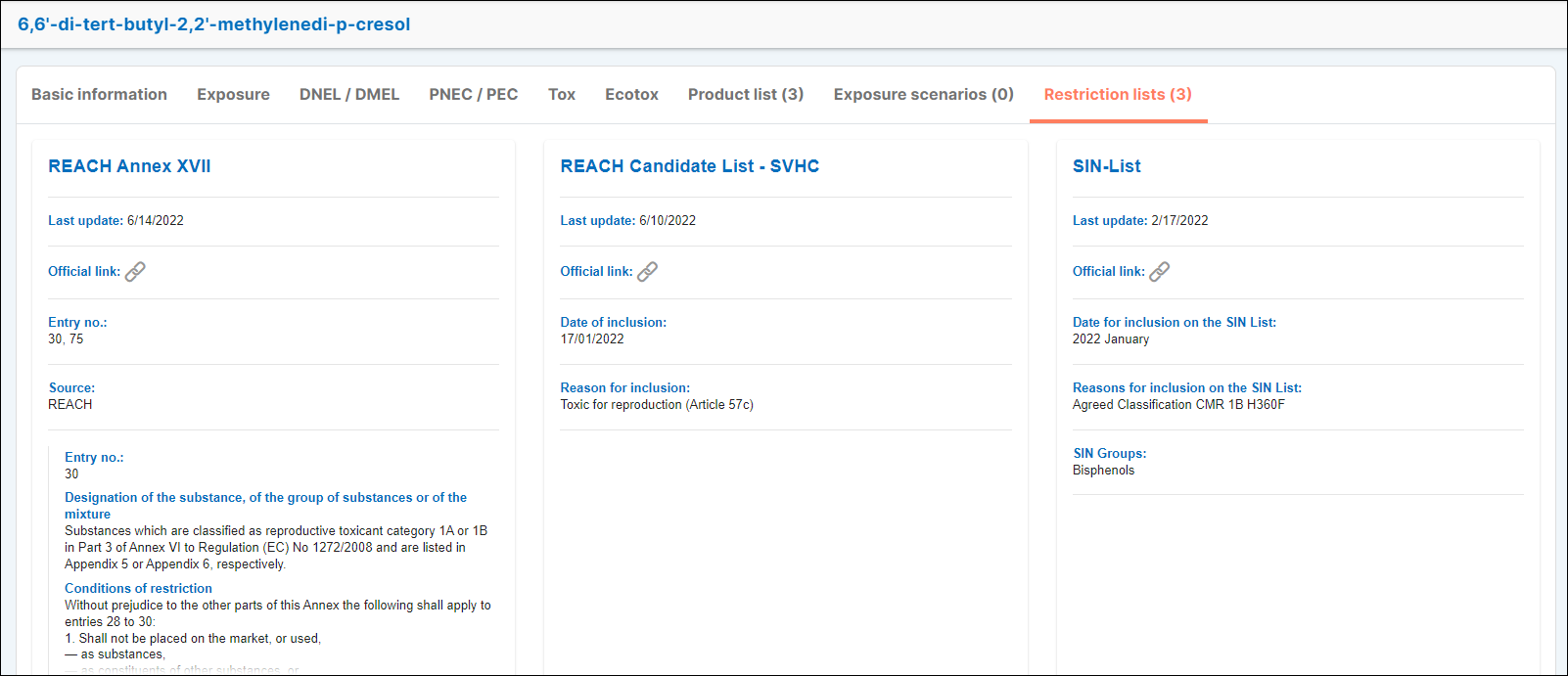
In this view you can see which restriction lists the substance is matched against and additional information such as when the list was last updated and reasons for the inclusion.
Products you have published will be seen under Publishing in the menu and also show if any of the included substances has a match for one or more restriction lists.
Scroll down in the product summary to find this information
