Applies for: iPublisher
Where: Companies and Creator #1.3
TABLE OF CONTENTS
iPublisher offers users the possibility to create, edit and connect local companies to main companies.
Company list
In this view a user can search and filter their different companies and export them to excel if needed using the Export excel-button. To delete a company, simply click on the garbage can-icon to the right.
Users can also choose to edit an already created company by clicking on it in the Companies list.

Create a new company
You can create these companies by clicking on the Companies tab in the menu row.
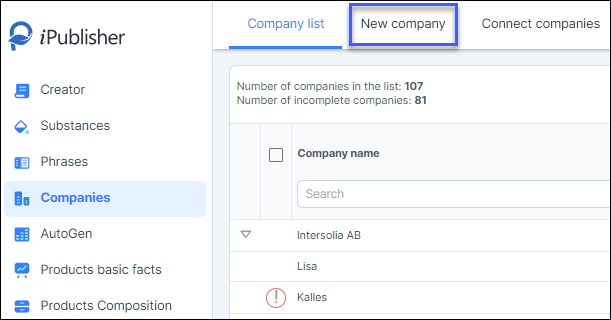
To create a new company to be used in your safety data sheets, simply click on 'New company'.
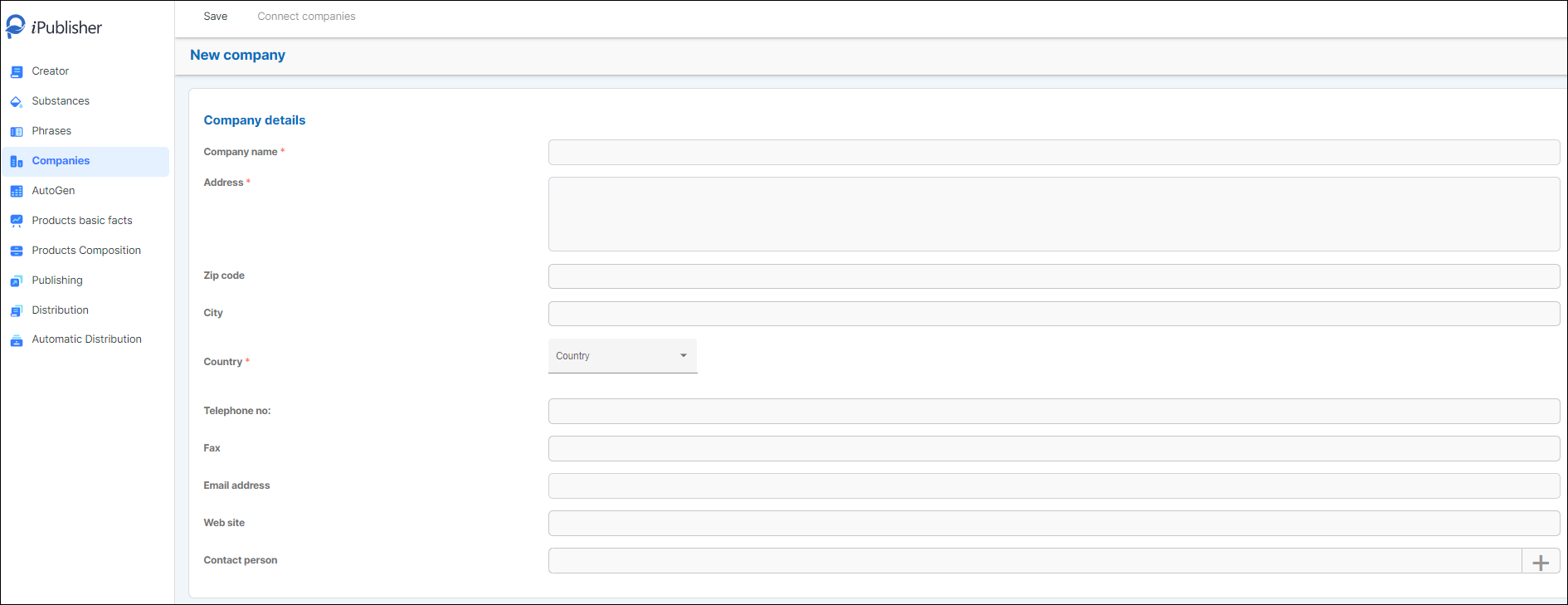
Enter the company details below and keep in mind that the red asterisks are mandatory fields which are needed to fully create a new company. After all the info has been entered, click on Save.
Connect a local company
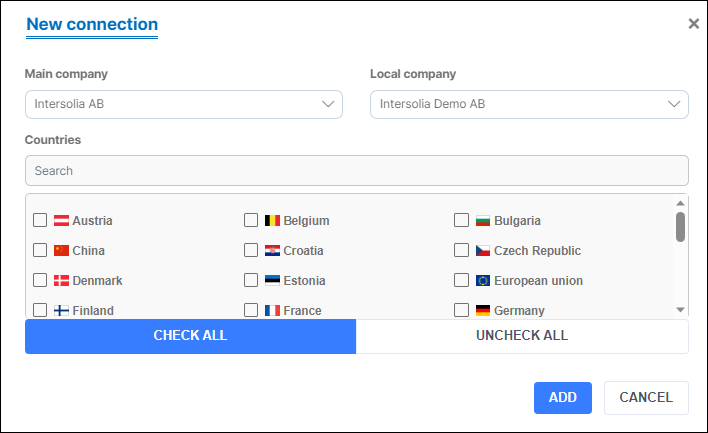
Connecting a local company to a main company simplifies administration when you have one manufacturer but several local distributors. To connect companies click 'Connect companies'.

Choose your main company and local company in the dropdown lists below.
Enable relevant countries (markets) and click Add when finished.
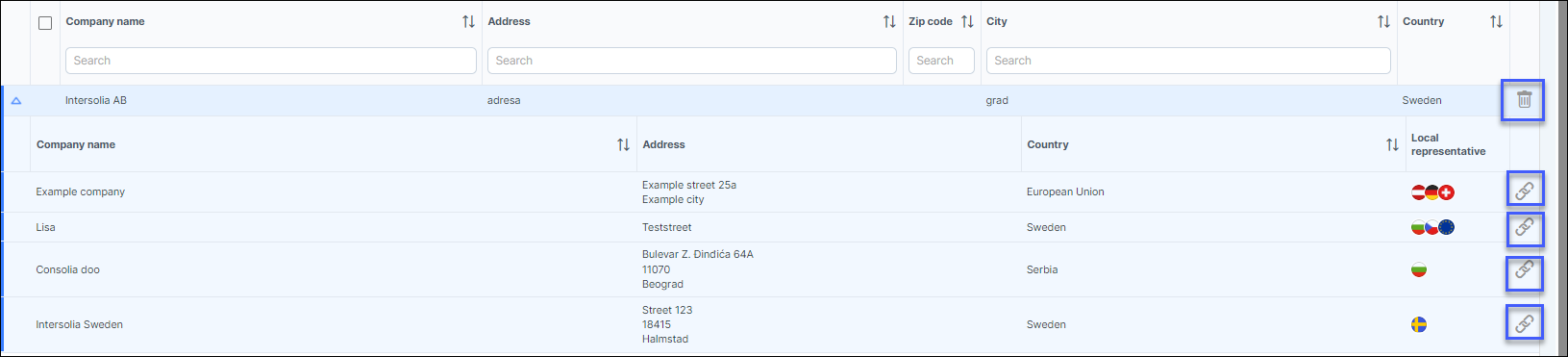
Users can view companies that are connected in the company list by clicking on the downwards arrow to the left of the company name.
It is possible to disconnect previously connected companies by clicking on the link-icon marked in blue.
Deleting a company is done by clicking on the dustbin-icon marked in blue.
Company in Creator #1.3
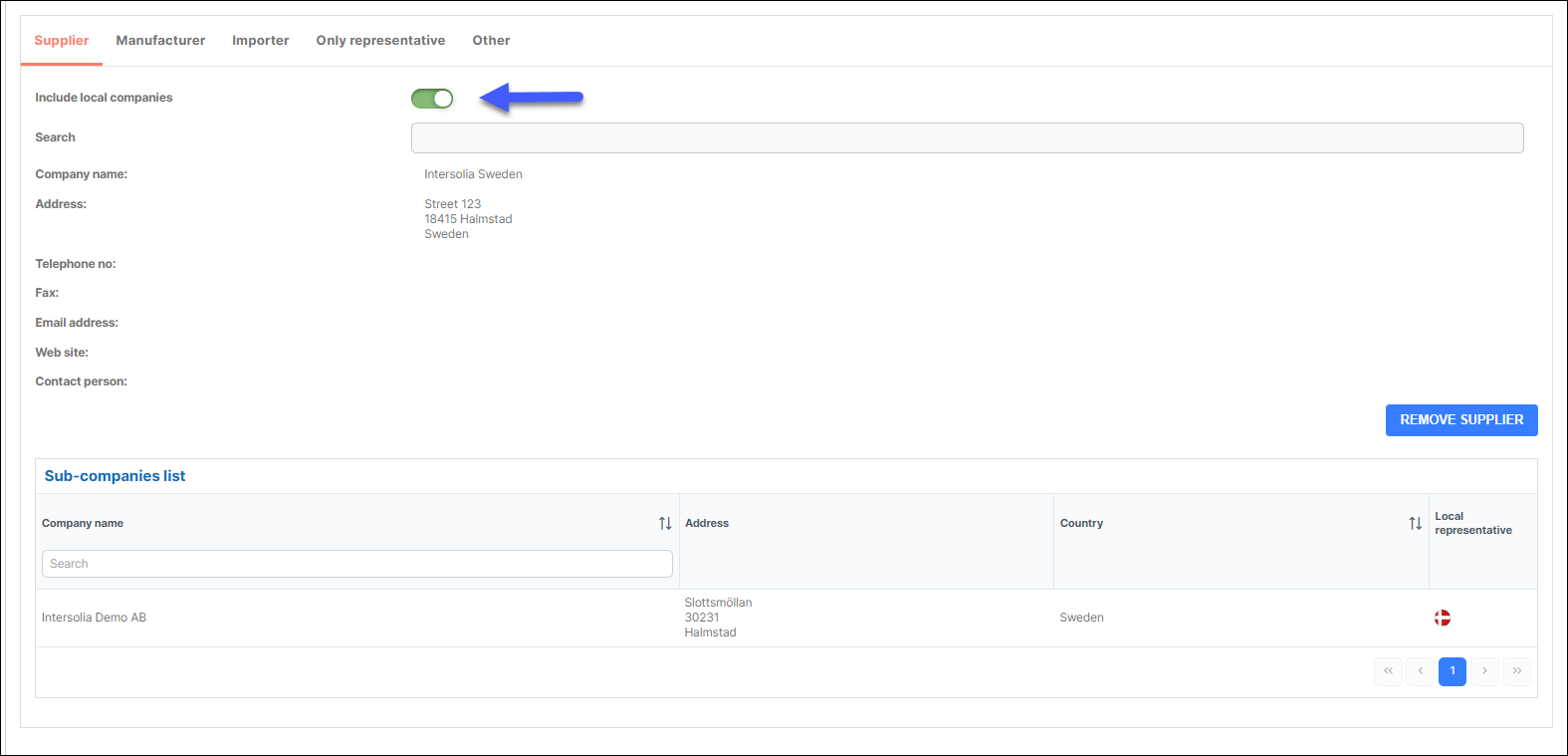
Companies created can be used and searched for in section 1.3 in Creator as seen below.
Users can add a company to Supplier, Manufacturer, Importer, Only representative or Other.

You also have the option to include or exclude connected local companies to your main company can be done by using the
button 'Include local companies'. This allows the user to decide which companies that will be visible in the SDS.
When the button is green and turned on while searching for a company; the local company will be included
in the Sub-companies list. (see picture below)
When button is red and turned off while searching for a company; local companies will not be added.