
For: iPublisher
Where: Users
Creating a user
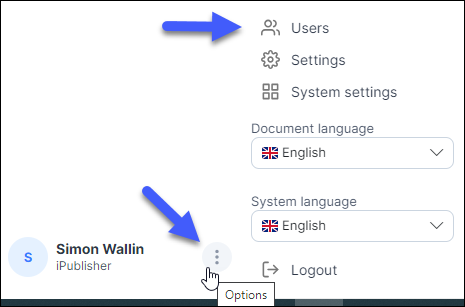
In the upper menu the user button is located which allows you to create, edit, and assign roles to your users.
This can only be done by a user that has the appropriate rights. [See Managing roles]
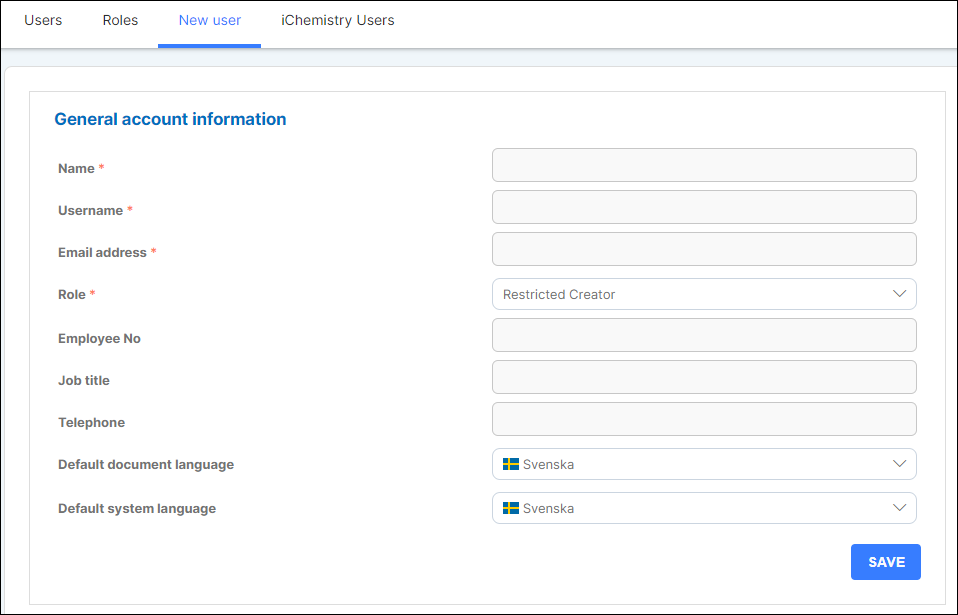
When creating a new user there a few fields that are mandatory to fill and it is marked with a red asterix.
These must be filled before the customer can be fully created. After the user is created an email will be sent to the designated email adress with the login information.
Managing roles
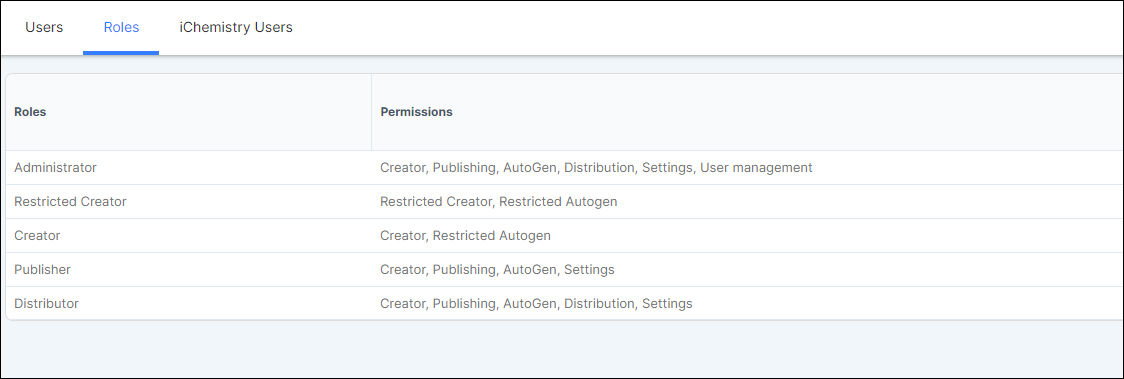
Roles are a great way to manage and restrict what functions in iPublisher each user should have access to.
The permissions explain exactly what the user will have access to and not.
iChemistry users
If you have users already created in your iChemistry system they will be visible in iPublisher.
Besides listing the created users from iChemistry, you also have the possibility to disable/enable which of the users that should be active in the right corner of your screen.
